Cash out
Know where every budget stands.
Set a budget for each project. FullBoat tracks every PO and every vendor invoice against it, shows when you're on pace to run out, and holds large invoices until someone approves them.
Works with QuickBooks, Zoho Books and Sage Intacct. Selling on contracts too? See Cash in
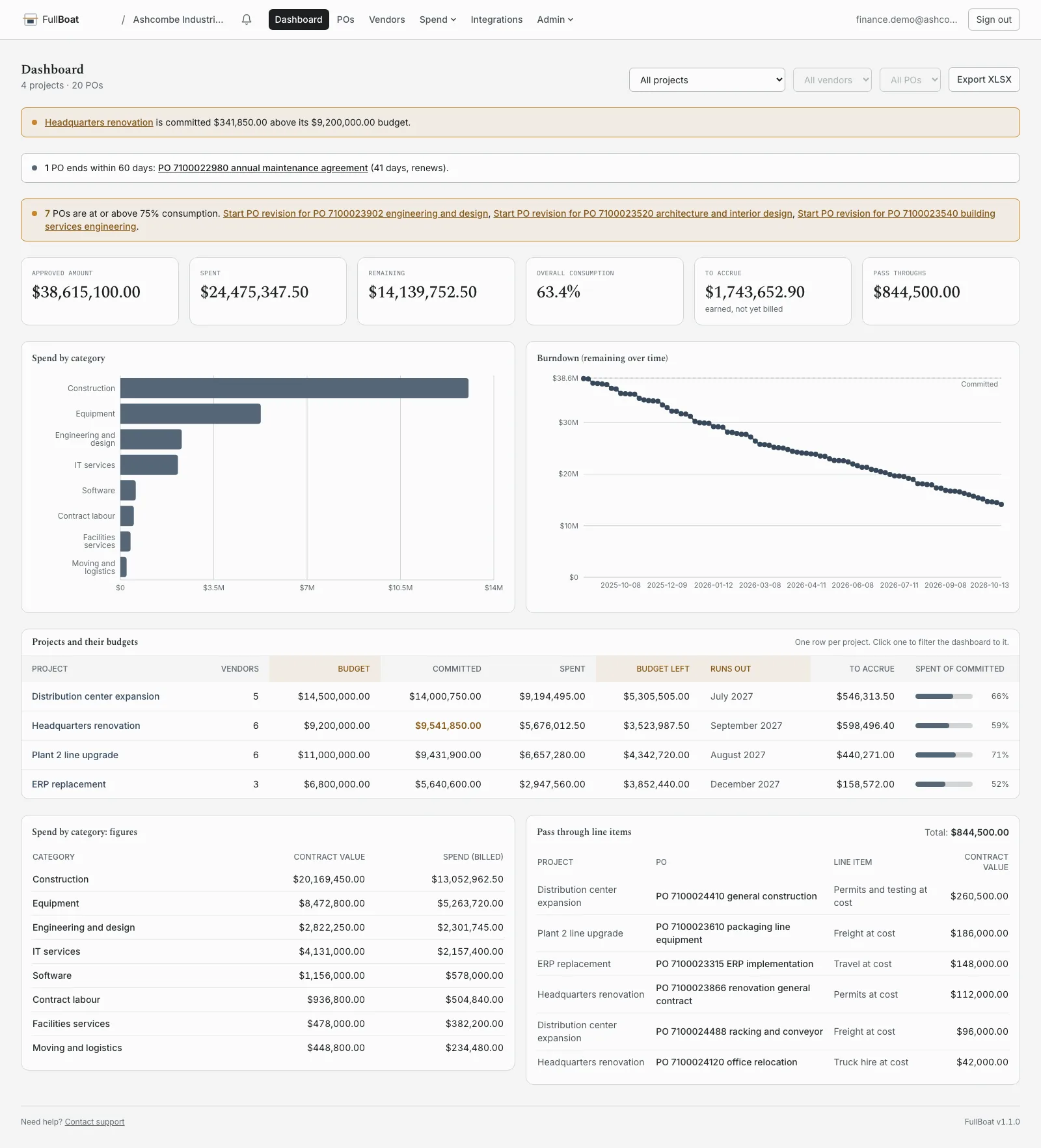
Three numbers for every project.
The budget
Set it once. FullBoat shows what's left and, at the pace you've been spending, roughly when it runs out.
What's committed
Every PO and work order, added up against the budget. If you've committed more than you have, you'll see it right away.
What's spent
Approved vendor invoices. A disputed invoice doesn't count until it's settled.
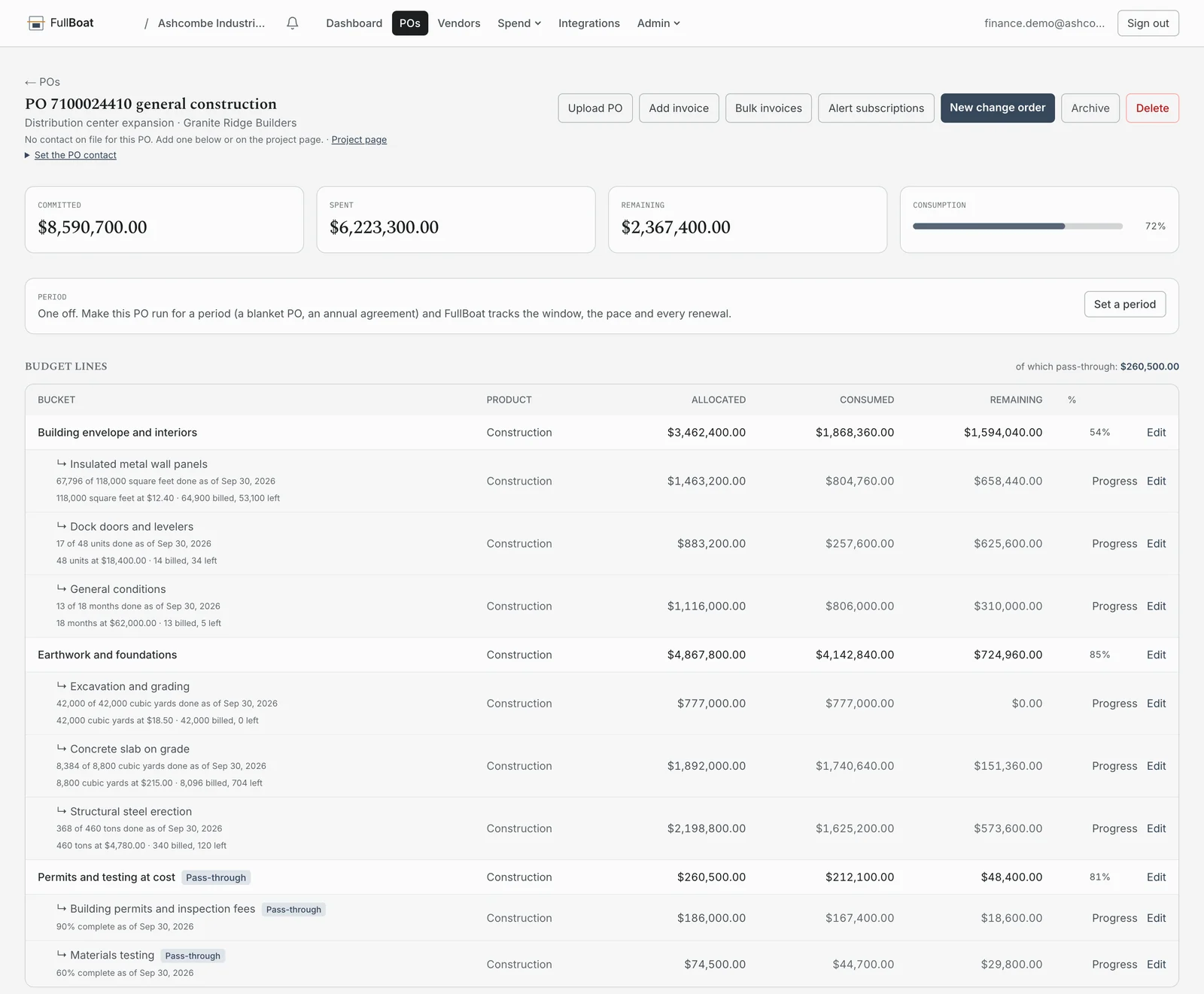
Every line, on every PO.
Open a PO and you see each line on it: the quantity, the rate, what's been billed and what's left. Record how much of the work is done and it sits right there on the line.
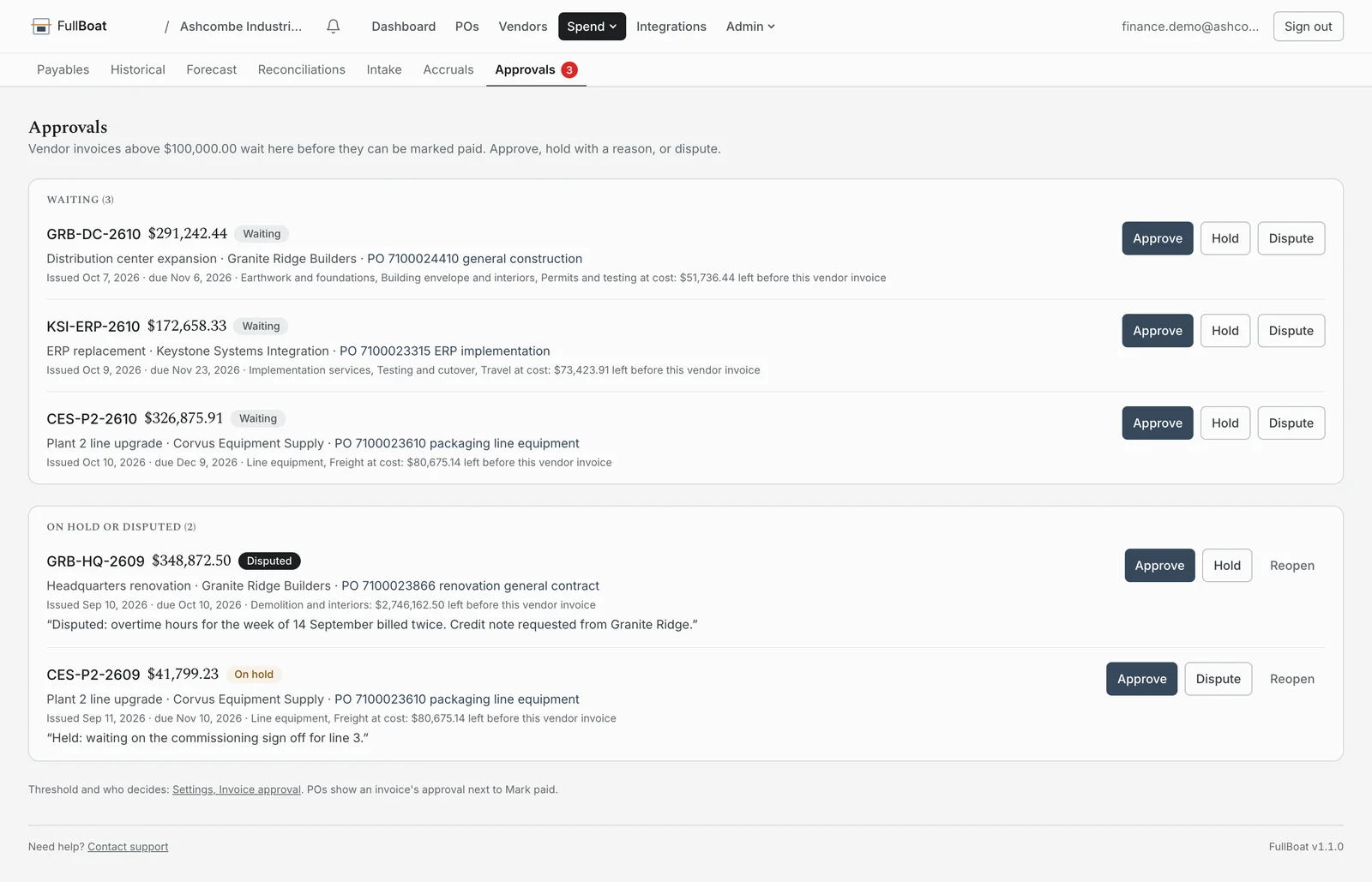
Invoice approval
Nothing is paid until a person says so.
Pick a dollar amount. Any vendor invoice above it waits for someone to sign off before it can be marked paid. You can see which project and PO it hits, and how much is left on that line.
Approve
One click, and it counts against the budget.
Hold
Add a note on why. The next person sees it.
Dispute
Say what's wrong. It stays out of your spend until it's sorted.
On record
Every decision is saved, including how far over the line an invoice went.
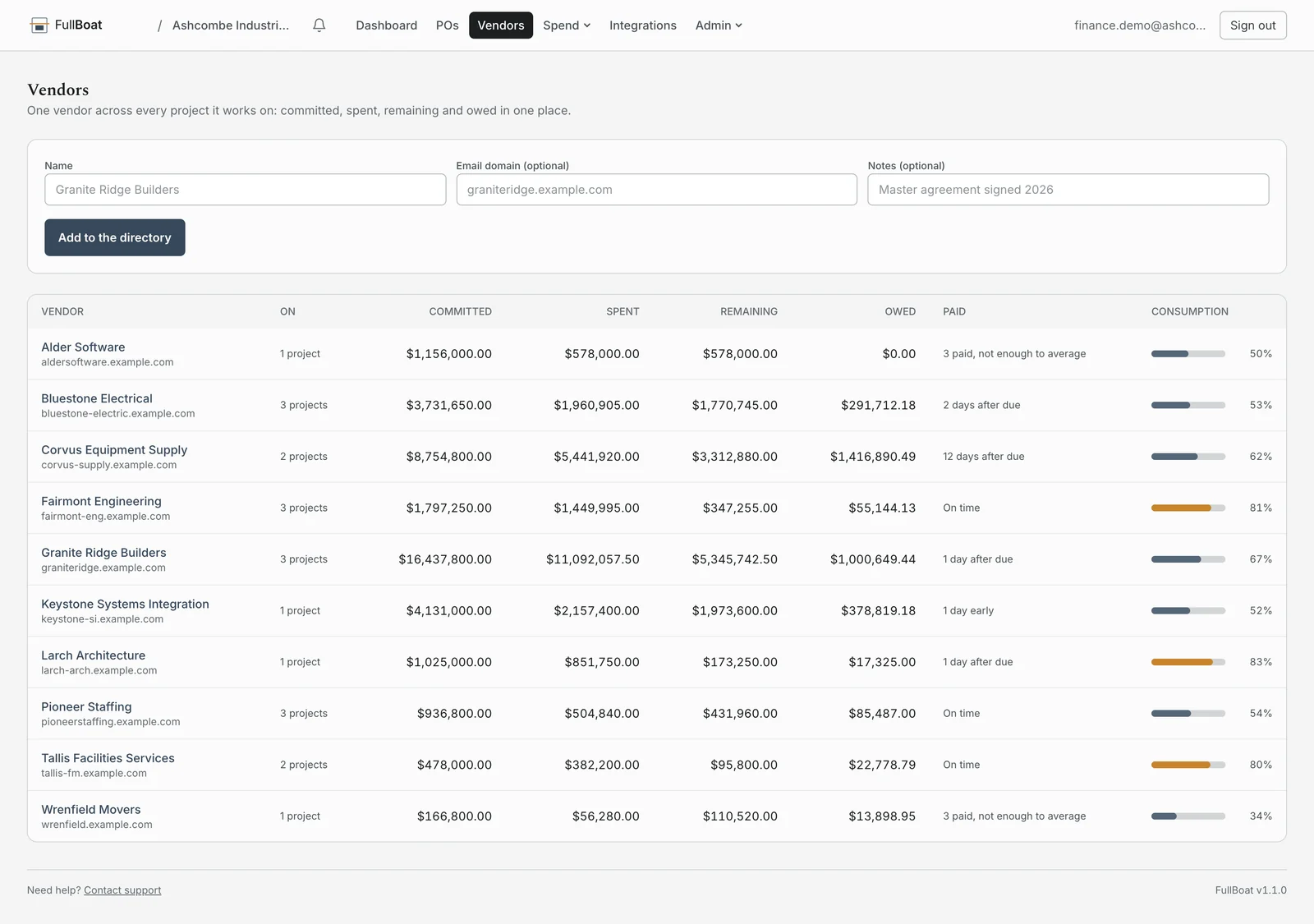
Each vendor, across all your projects.
When the same contractor works on three projects, you see one total: what you've committed, what you've spent, what you owe, and whether you're paying on time. Payment terms are set once for each vendor.
Invoices from anywhere.
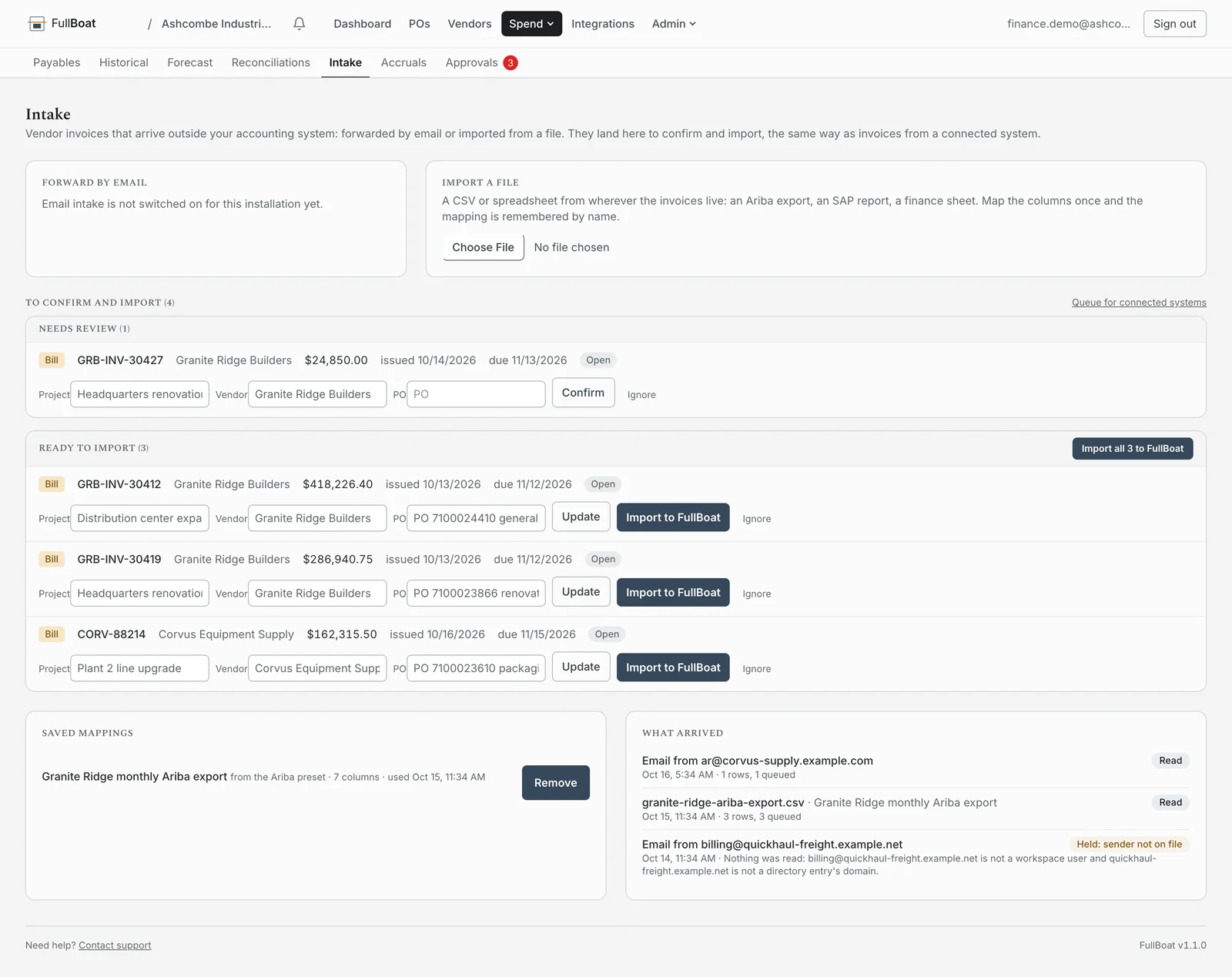
Most invoices come straight from your accounting system. For the rest, forward the vendor's email or upload a spreadsheet, such as an Ariba or SAP export. Map the columns once and FullBoat remembers. Mail from a sender it doesn't recognize is held until you check it.
Know what to accrue at month end.
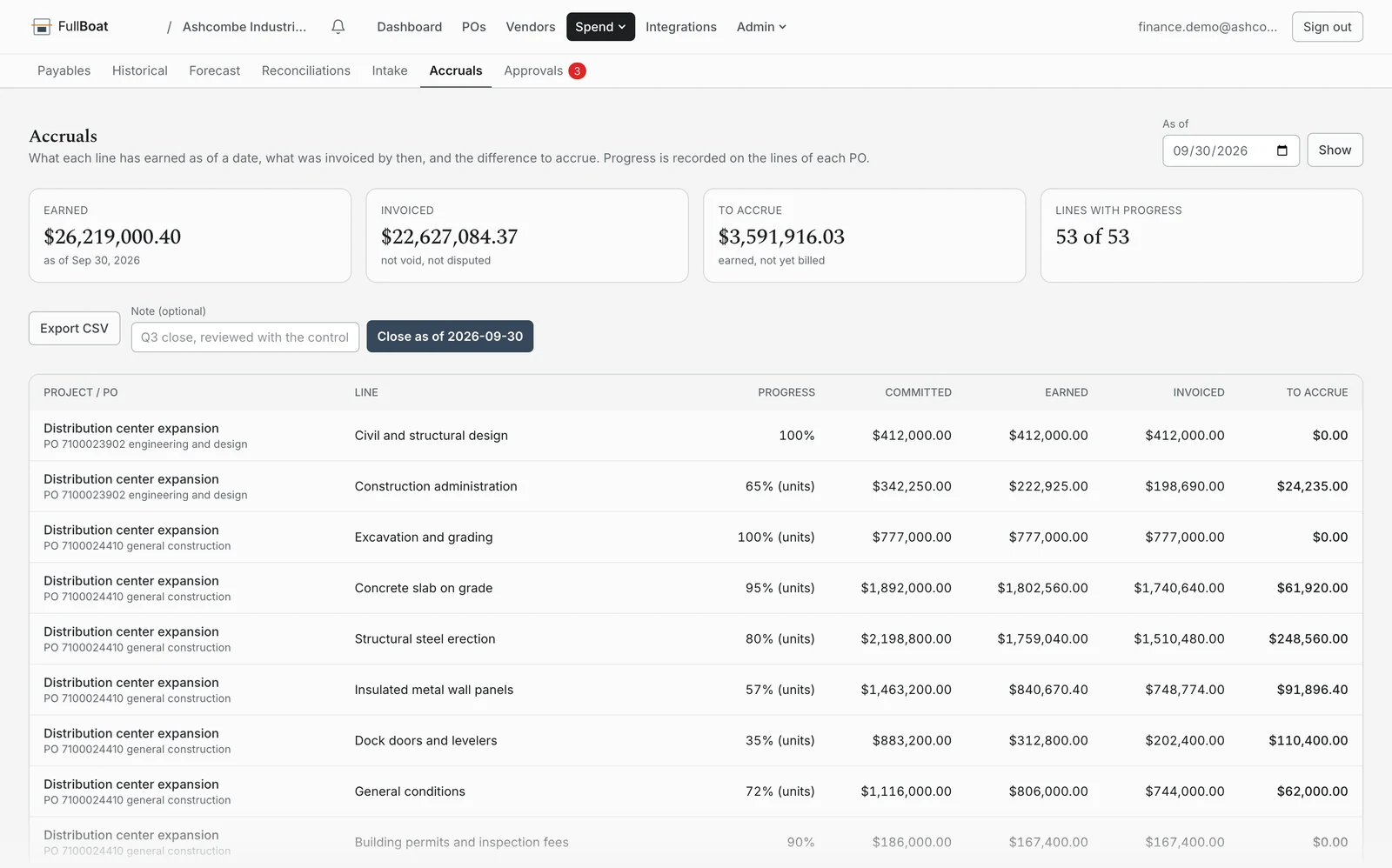
Record how far along each piece of work is. FullBoat compares that to what's been invoiced and gives you the amount to accrue, line by line, for any date. Export it, then close the month so it can't change.
Built for whoever owns the budget.
Project and operations leaders. One view of every project's budget, vendors and POs.
Finance and controllers. Approvals, accruals and a month end you can trust.
Procurement. Every vendor and every PO in one place, with how promptly each is paid.
When projects slip. Extend a PO's end date without changing the amount, and the history shows it.
FullBoat never pays a bill. It reads your books and never writes to them. Payments still go out from your accounting system.
Everything is recorded. Every approval, hold, dispute and month end close is on a tamper evident audit log.
Questions
It takes what's left and divides it by how fast you've actually spent over the last 90 days. If nothing has been spent in that time, it doesn't guess.
No. It reads your books and never writes to them. Approval decides what can be paid, and the payment still goes out from your accounting system.
QuickBooks, Zoho Books and Sage Intacct. NetSuite is a custom build. Invoices from anywhere else can be forwarded by email or uploaded as a spreadsheet.
Yes, in one workspace, with access set for each side. See Cash in.
The same plans as Cash in. Your tier is based on annual vendor spend when you sign. See pricing.